Projects · Bulky API
API testing as a script
Most API clients make you fill in a form per request, then copy a token from one tab into the next by hand. Bulky API flips that: you write the flow as JavaScript, and every call you make turns into a live card you can inspect.
github.com/sawissac/bulky-api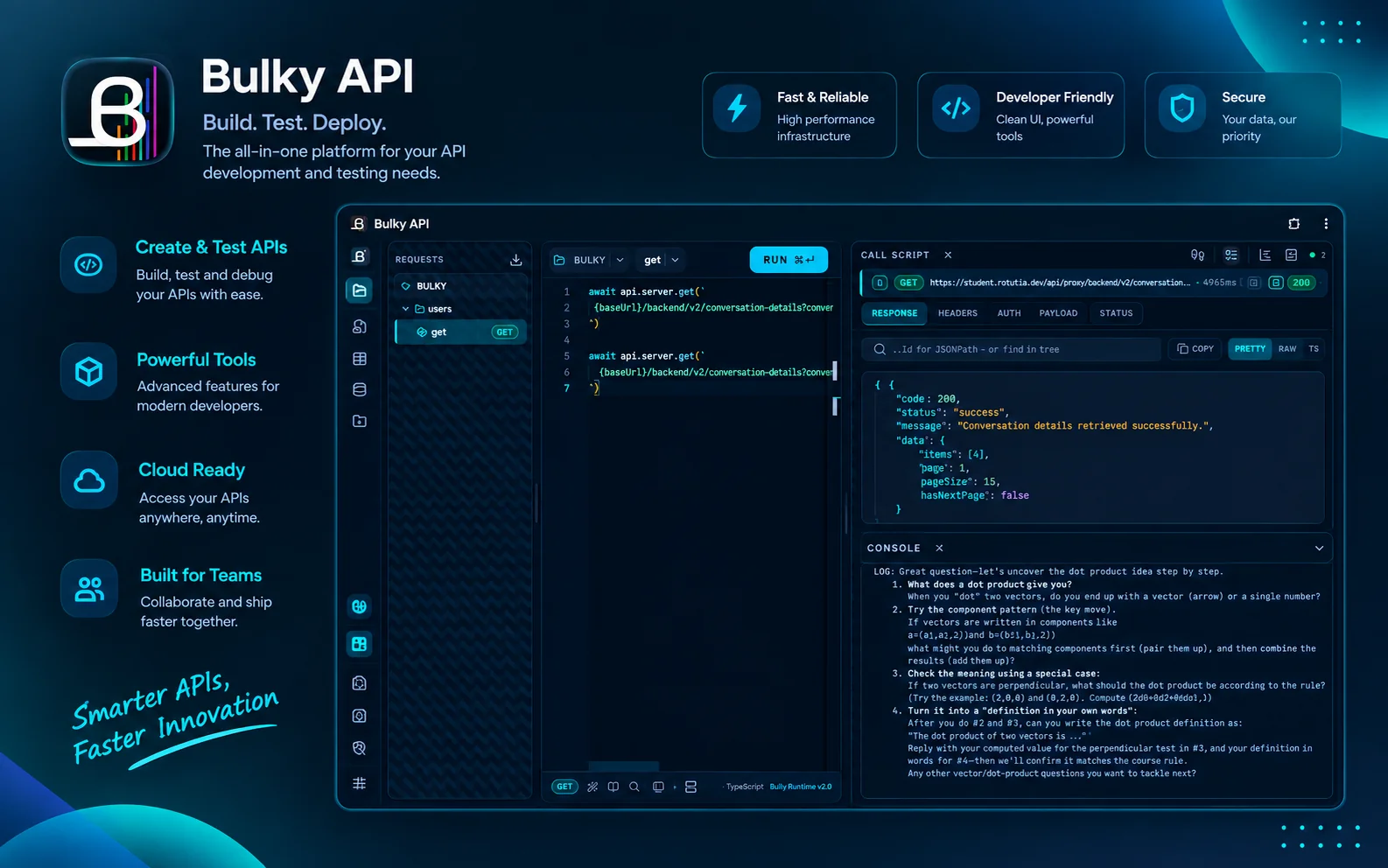
Why a script
A real API flow is rarely one request. You sign in, take the token, create a record, read it back, then delete it. In a form-based client that is five tabs and a lot of copy and paste. In code it is five lines, and the token is just a variable.
That is the whole idea behind Bulky API: the request list is a script, not a set of saved forms.
const login = await api.post(env.baseUrl + "/auth/login", {
  email: env.email,
  password: env.password,
});

const me = await api.get(env.baseUrl + "/me", {
  auth: { type: "bearer", token: login.data.token },
});

console.log("signed in as", me.data.email);
Press ⌘ + Enter and each api.* call shows up as a card in the right-hand pane, moving from idle to pending to its status code as it runs. The endpoints above are only an example; point env.baseUrl at your own service.
The window
The app is a three-pane layout:
- Sidebar — test cases, environments, variables, database connections and file import/export.
- Editor — Monaco, the same editor that powers VS Code, with run, step and stop controls.
- Response panel — one card per call. Click a card to open its five tabs: Response, Headers, Auth, Payload and Status, with a pretty or raw JSON toggle.
Three layouts (Balanced, Editor Focus, Response Focus) and ten colour themes, from Midnight to Coffee, let you shape it to the task.
Features that earn their place
Step mode
Run a script one call at a time. Bulky pauses between calls so you can read each response before the next one fires. Useful when a flow fails halfway and you want to see the state just before it breaks.
Environments and variables
Switch between presets like dev and staging, and reference values as env.baseUrl or env.token. They resolve at run time, and sensitive keys are masked in the UI so a screen share does not leak a token.
Auth helpers
await api.get(url, { auth: { type: "bearer", token: env.token } });
await api.get(url, { auth: { type: "basic", username: "u", password: "p" } });
await api.get(url, {
  auth: { type: "apikey", header: "X-API-Key", key: env.apiKey },
});
cURL import
Paste a curl command from browser dev tools or someone's docs, and Bulky writes the matching script for you.
Command palette
⌘ K (or Ctrl K) opens a fuzzy search over everything: run, stop, step, format, themes, fullscreen, sidebar tabs, examples, saved requests and environments.
Beyond plain HTTP
Not every API is request and response. Bulky treats streams, sockets and SQL the same way it treats HTTP calls: each one gets a card.
Server-sent events are captured per event, so a streaming endpoint shows every chunk as it arrives.
WebSocket and Socket.IO open a live, two-way connection. While one is open, a message composer appears under the editor:
const sock = await api.ws("wss://echo.example.com");
sock.send("hello");

const io = await api.io("https://chat.example.com");
io.emit("join", { room: "general" });
Postgres queries run through a pooled server route, with values bound as $1, $2 and never pasted into the SQL string:
const r = await api.query.pgsql(
  "select id, email from users where org_id = $1",
  [1],
);
console.log(r.rowCount, r.rows);

await api.query.pgsql("select 1", [], { db: "reporting" });
Connections are set up per collection in the sidebar's DB pane, with a Test button to check them first. Need a database to try it against? Local Postgres in one command gets one running in a minute.
Getting past CORS
A browser can't call most APIs directly: the server has to allow the page's origin, and internal services usually don't. Bulky ships a small proxy route at /api/proxy for that. The api.server.* calls send the request to the proxy, which fetches the upstream URL server-side and returns its status untouched, with a 30-second cap per call:
const r = await api.server.get(env.baseUrl + "/");
console.log("status", r.status);
The proxy is deliberately permissive because Bulky is a local developer tool. Don't deploy your own copy on a public URL without putting authentication in front of it, or anyone can use it to make requests from your server.
Collections are plain JSON
Every collection (its environments plus its requests) is portable JSON, so you can write one by hand, keep it in git, or share it with a teammate.
[
  {
    "id": "placeholder",
    "name": "Profile Service (dev)",
    "open": true,
    "envIdx": 0,
    "environments": [
      {
        "id": "placeholder",
        "name": "dev",
        "vars": { "baseUrl": "https://example.com", "token": "" }
      }
    ],
    "items": [
      {
        "id": "placeholder",
        "name": "00 - Service document",
        "method": "GET",
        "code": "const r = await api.get(env.baseUrl + '/');"
      }
    ]
  }
]
IDs are reassigned on import, so the ones in a hand-written file are only placeholders. There are two import buttons, and they accept slightly different shapes:
| Where | Accepts |
|---|---|
| Collections pane → Import collection | One collection object, or an array of them |
| File pane → Import collection | The above, plus { "collections": [...] } and a legacy top-level environments |
Export from the File pane writes the wrapped { "collections": [...] } form, so bring that file back in through the File pane too.
Run it yourself
The hosted version lives at bulky-api.vercel.app. To run your own:
git clone https://github.com/sawissac/bulky-api.git
cd bulky-api
pnpm install
pnpm dev
The dev server starts on port 4545. For a production build:
pnpm build
pnpm start
The service worker only registers under pnpm start, so that is also how you test installing Bulky as an app from the browser's address bar. Once installed, the app shell is cached and opens offline.
Account sync is optional. Copy .env.example to .env.local and fill in your Supabase URL and publishable key to sign in by magic link or password and sync collections, environments and UI state across devices. Leave them empty and everything stays in the browser.
Under the hood
| Layer | Tech |
|---|---|
| Framework | Next.js 16 (App Router) |
| UI | React 19, Tailwind v4, Radix UI, shadcn |
| State | Redux Toolkit |
| Editor | Monaco (@monaco-editor/react) |
| Persistence | localforage |
| Sockets | native WebSocket, socket.io-client |
| Layout | react-resizable-panels |
Two pieces do most of the interesting work:
scriptAnalyzerreads your script and finds theapi.*calls without running it, which is how the cards appear before you press Run.scriptRunnerexecutes the script and sends each call down the right path (HTTP, server-sent events, sockets or SQL), with anAbortControllerbehind the Stop button.
Limits worth knowing
- Desktop only. Below 1024px wide the app shows a "Desktop Only" notice; three resizable panes need the room.
- Saved responses are capped at 50 KB each, to keep what Bulky stores in the browser from ballooning.
- The proxy has no auth. See the warning above.
Shortcuts
| Shortcut | Action |
|---|---|
⌘ Enter / Ctrl Enter | Run script |
⌘ K / Ctrl K | Open command palette |
Tab | Indent two spaces in the editor |
| Click a card | Expand or collapse its details |
Bulky started as a way to stop copying tokens between tabs. It turned into an API client where a flow you can describe in a sentence takes about as many lines to run. Try it at bulky-api.vercel.app, or read the source on GitHub.